Bulk SMS
Bulk SMS Software
Home
Products
Downloads
Contact Us
Home ➜ Bulk SMS Software for GSM Mobile Phones ➜ Screenshots

Bulk SMS Software for GSM Mobile Phones Screenshots
Download Now
Order Now
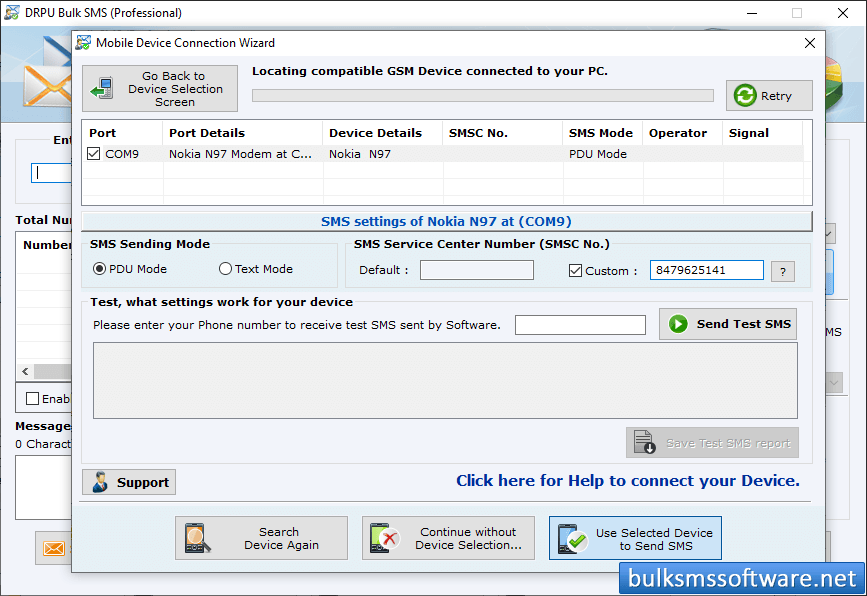
GSM Bulk SMS

Wizard shows connected device list, select particular COM port to view corresponding device information. Click on "Use Selected Device to Send SMS" button.
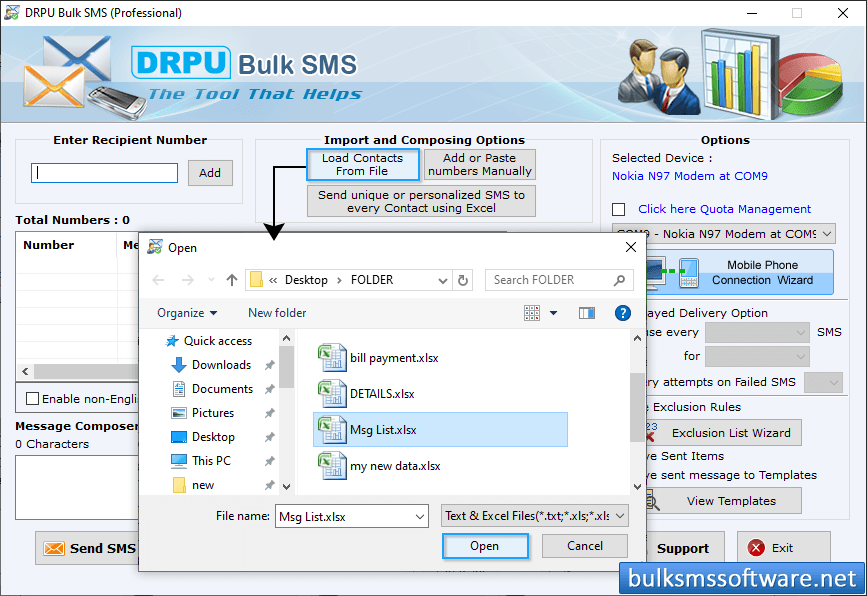
GSM Bulk SMS

Choose any 'Import and Composing" option and select other options like Delayed Delivery, Exclusion Rules, Save Sent Items, etc as per your need. Now, click 'Send' button.
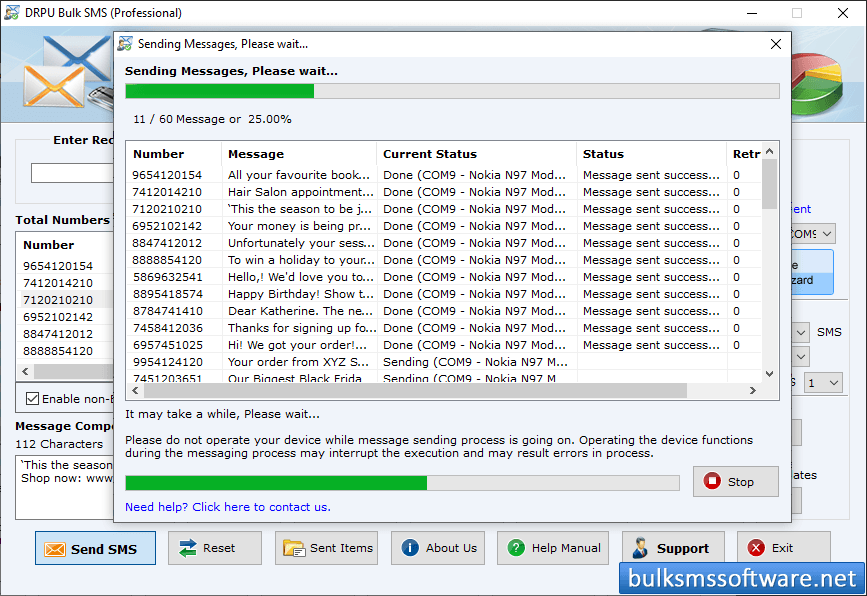
SMS Sending Process is going on

Screenshot shows progress bar to view current status of message sending process.

◀ Go Back

OUR PRODUCTS ❯❯❯

Windows
Bulk SMS Software For Windows
⮞ Bulk SMS Software – Professional
⮞ Bulk SMS Software (Multi-Device Edition)
⮞ Bulk SMS Software - Multi USB Modem
⮞ Bulk SMS Software for GSM Mobile
⮞ Bulk SMS Software for BlackBerry
⮞ Bulk SMS Software for Android
Mac
Bulk SMS Software For MAC
⮞ Mac Bulk SMS Software - Professional
⮞ Mac Bulk SMS Software for Multi Device
⮞ Mac Bulk SMS Software for GSM Phone
⮞ Mac Bulk SMS Software for Android
⮞ Mac Bulk SMS Software for USB Modems
Home | Order | Downloads | Privacy Policy | Terms and Conditions | Contact Us| Sitemap
Copyright©bulksmssoftware.net